Here’s the old way a customer checks their warranty status: they dig through their inbox for a registration confirmation, find a link to an external portal, land on a page that doesn’t look like your store, and — if they’re lucky — remember whatever login credentials they used.
Here’s the new way: they open their Shopify account, see a card that says “My Product Registrations,” click it, and everything is right there. Same look as their order history. Same feel as their address book. No new login. No external page. No friction.
That’s what Shopify Customer Account Extensions make possible. And if you’re running a product brand on Shopify, it changes how your customers interact with every post-purchase touchpoint — from warranty checks to claims to serial number lookups.
Here’s the thing: the tools your customers use after purchase shouldn’t feel like a separate app. They should feel like a natural extension of your store. Shopify Customer Account Extensions deliver exactly that — and My Product Cares uses them to give your customers a native portal for everything related to their registered products, right inside their Shopify account.
What Are Customer Account Extensions?
Since 2024, Shopify has been rolling out a new architecture for customer accounts. Customer Account Extensions let apps inject native UI directly into the customer’s Shopify account page.
The important word here is native. These aren’t embedded widgets that look slightly different from the rest of the account. They use Shopify’s own component system — the same design tokens, the same responsive layout engine, the same accessibility patterns — so everything looks and feels like it belongs.
For merchants, setup is straightforward: the app makes the extension blocks and pages available, and you add them to your customer account area in the Shopify theme customizer — just like you’d add any other app block. Once placed, the native Shopify design system handles the rest. No custom CSS, no Liquid edits, no wrestling with mobile breakpoints.
For customers, it means finding their product registrations, warranty information, and claims in the same place they check their orders and update their address — their Shopify account.
How It Looks and Feels Native
The native look and feel isn’t an accident. It comes from Shopify’s Customer Account component library, a set of custom web components — <s-page>, <s-section>, <s-card>, <s-button>, <s-badge> — that render with Shopify’s design system out of the box.
Here’s what “native” actually means in practice:
Typography and spacing match perfectly. Headings, body text, and layout spacing follow the same rhythm as Shopify’s order history, address management, and profile pages. There’s no visual jarring that says “you’ve left the store.”
Responsive by design. The same components adapt from desktop to mobile without any additional work. Container queries handle the layout, so the portal looks right on a phone, tablet, and desktop — the way Shopify’s own pages do.
Accessibility built in. Shopify’s component system includes keyboard navigation, screen reader support, and proper ARIA labeling. You don’t need to audit or patch — it’s part of the platform.
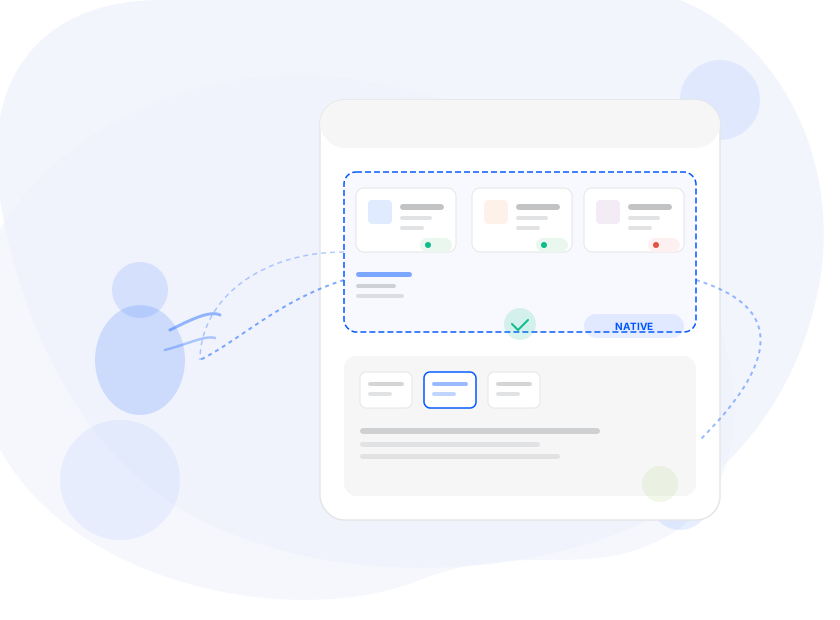
Status badges that look familiar. When a claim shows “Approved” or a warranty shows “Expired,” the badges use the same color tones (info, success, warning, critical) that customers see elsewhere in their Shopify account. There’s no learning curve.
Navigation that feels like Shopify. The dashboard card appears on the customer’s account home page, right alongside their order history. Clicking it navigates to a full-page view — the same transition pattern customers use to go from their account overview to their order details.
The result: a customer checking their warranty status has the same experience whether they’re looking at a Shopify-native page or a My Product Cares page, because — from the customer’s perspective — there’s no difference.
What Your Customers Can Do
The My Product Cares Customer Account Extension provides two surfaces within the customer’s Shopify account:
A dashboard card. On the customer’s account home page — the same page that shows recent orders — a card appears titled “My Product Registrations.” It shows a brief description and a button that takes the customer to the full portal. This is the entry point that makes the portal discoverable without any link sharing or email instructions.
A full-page portal. Clicking the card opens a complete self-service dashboard showing every product the customer has registered. Each product appears as a card with:
- The product image and name
- The serial number
- The original purchase date
- The warranty expiration date, clearly visible
- The registration status (active, expired, pending)
From this page, customers can:
- Check warranty coverage — see at a glance whether a product is still under warranty and when coverage ends
- File a claim — click “Make a claim” on any registered product and get a pre-populated claim form with the product name, serial number, and purchase date already filled in
- View related claims — see the status of any claims linked to a particular registration
- Delete old registrations — remove products they no longer own or registrations they no longer need (when the merchant enables this option)
- Navigate multiple registrations — browse and search across all their registered products, not just the most recent one
None of this requires the customer to leave their Shopify account. None of it requires a separate password. None of it looks or feels like a third-party tool.
How to Set It Up
Setting up the Customer Account Extension takes less than two minutes, and you only do it once.
Step 1: Open your theme customizer. In your Shopify admin, go to Online Store > Themes > Customize. Navigate to the Customer Account section.
Step 2: Add the app blocks. My Product Cares makes two extension blocks available to your customer account area. Drag the “My Product Registrations” card onto your account home page — this is the dashboard entry point your customers will see. Then add the full-page registration portal to your account pages — this is where customers view their registered products, check warranties, and file claims.
Step 3: Customize the text (optional). You can adjust the page title, intro text, dashboard card heading, and button labels to match your brand voice. These settings update live — no code, no Liquid, no redeployment.
That’s it. Once the blocks are placed, every customer who logs into their Shopify account sees the portal. The native look and feel, responsive layout, and multi-language support all work automatically from that point forward.
Multi-Language Without the Multi-Headache
If you sell internationally, the portal supports multiples languages out of the box like: English, French, Spanish, and Chinese. The extension detects the customer’s device language and displays the appropriate translations automatically.
This isn’t a separate setup per language. It’s not duplicate forms or manual translations. It’s built into the extension itself — every label, every status badge, every button, every error message. Your French-speaking customers get a fully translated French experience. Your Spanish-speaking customers get the same in Spanish. You configure nothing.
Customer Account Extensions vs. the Old Approach
Let’s compare what Customer Account Extensions give you versus the old way of doing things:
| Customer Account Extension | Old Approach | |
|---|---|---|
| Where it lives | Inside the customer account page — alongside orders and addresses | A standalone page on your store domain |
| Look and feel | 100% native — uses Shopify’s s-* component system | Custom UI that must be styled to match your store |
| Setup | Add app blocks in theme customizer (2 min) | Add a link to your store’s navigation or theme |
| Discoverability | Dashboard card visible on the account home page | Customer needs to find the link in your navigation |
| Mobile experience | Native responsive — Shopify components handle it automatically | Depends on custom implementation |
| Maintenance | Decoupled from your theme — updates with the app | May break with theme changes or navigation edits |
Both approaches use Shopify’s existing customer authentication — there’s no separate login in either case. And both benefit from the app’s built-in multi-language support, so your customers get a translated experience regardless of which surface they access.
Why It Matters for Product Registration
Product registration only creates value if customers actually use it. But if checking warranty status means finding an email from six months ago, clicking a link to an unfamiliar page, and maybe logging in again — most customers won’t bother. They’ll email your support team instead. Or worse, they won’t engage at all.
Customer Account Extensions remove every piece of friction between the customer and their product information. The data is exactly where they expect it — in their account, alongside their orders, looking exactly like the rest of their Shopify experience.
This matters for three reasons:
1. Higher engagement with registered products. When warranty information is one click from the account home page, customers actually check it. They know when their coverage ends. They file claims through the portal. They engage with your brand post-purchase instead of forgetting about you until something breaks.
2. Fewer support tickets. Every “is my product under warranty?” email is a ticket that shouldn’t exist. When customers can see their warranty status for themselves — in their Shopify account, with the same visual language they trust — those tickets disappear.
3. A premium brand experience. Big brands have portals. Now, every Shopify merchant can offer the same native, polished experience — not because they built it, but because their app uses Shopify’s Customer Account Extensions.
The Bottom Line
Shopify Customer Account Extensions represent a fundamental shift in how apps integrate with the customer experience. Instead of bolting on a separate portal, apps can now offer native functionality directly inside the customer’s Shopify account — blocks and pages that merchants add to their customer account area through the theme customizer, where they look and behave like a built-in part of the store.
My Product Cares uses this architecture to give your customers a self-service portal for product registrations, warranty lookups, and claims that feels like it was built by Shopify itself. Because — in a very real sense — it was.
Ready to give your customers a native post-purchase experience? Install My Product Cares on your Shopify store, add the app blocks to your customer account area in the theme customizer, and your portal is live.
When your tools feel native, your customers don’t see a third-party app — they see a better store.